De-identification
Configure PII detection rules, masking patterns, and de-identification pipelines
Overview
De-identification in OpenRails automatically detects and masks personally identifiable information (PII) in documents and conversation data. Rules use pattern matching, dictionary lookups, and category-based detection to find sensitive data, then apply configurable masking to protect it.
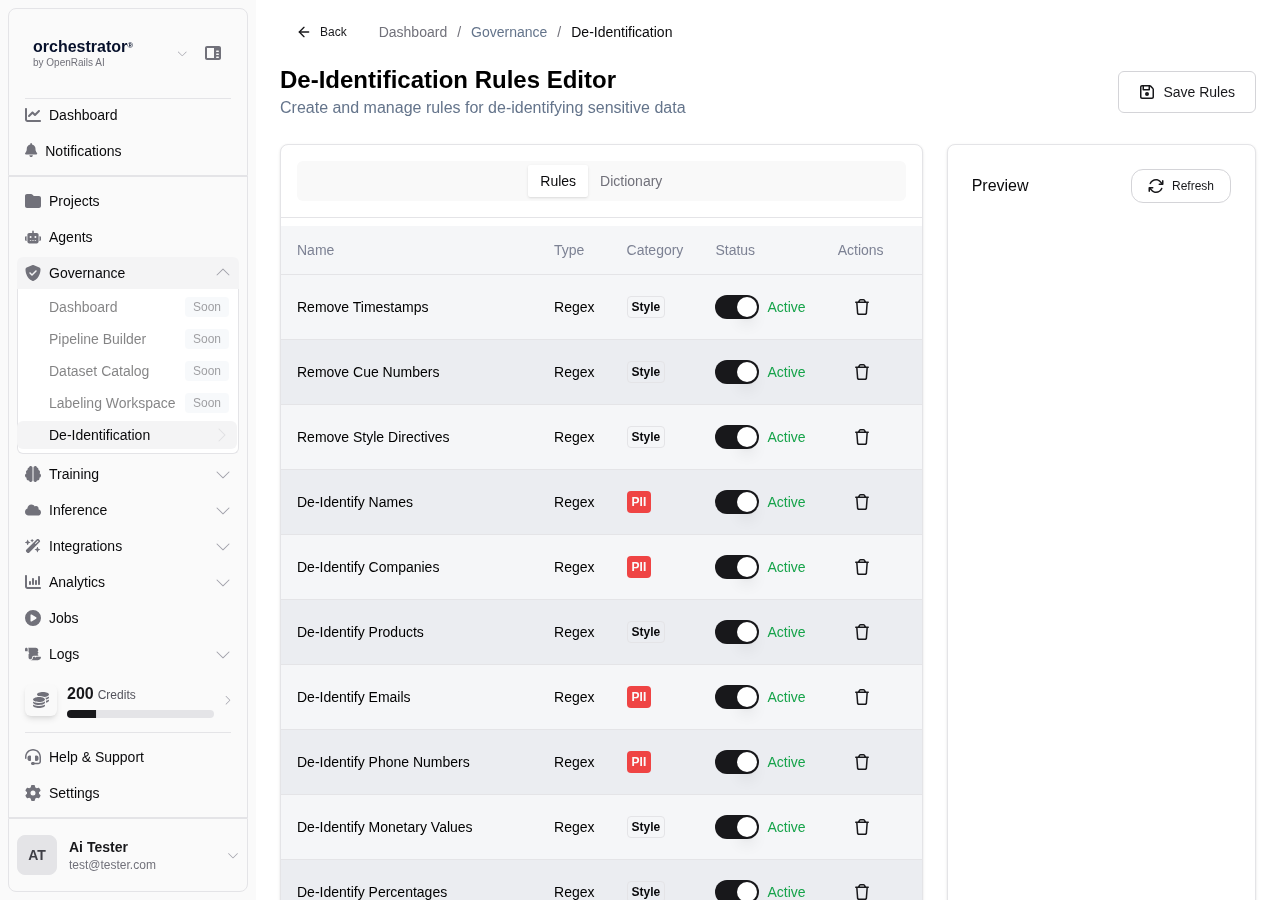
De-identification Rule Types
| Rule Type | Description | Example |
|---|---|---|
| Pattern | Regex-based detection of structured PII | SSN: \d{3}-\d{2}-\d{4}, Email: [a-zA-Z0-9._%+-]+@[a-zA-Z0-9.-]+ |
| Dictionary | Lookup-based detection using curated word lists | Names, cities, medical terms, organization names |
| Category | Broad category-based detection using NLP | Person names, locations, financial data, medical records |
Create De-identification Rules
Navigate to De-identification
From the sidebar, go to Governance > De-identification.
Click "New Rule"
Click New Rule to open the rule editor.
Select Rule Type
Choose Pattern, Dictionary, or Category based on the type of PII you want to detect.
Configure Detection
Based on the rule type:
- Pattern — Enter a regex pattern and optional validation logic
- Dictionary — Upload or select a dictionary file, configure match sensitivity
- Category — Select from built-in NLP categories (person, location, organization, etc.)
Configure Masking
Choose how detected PII should be masked:
- Replacement — Replace with a placeholder (e.g.,
[REDACTED],[NAME],[SSN]) - Partial Mask — Show partial data (e.g.,
***-**-1234) - Hash — Replace with a consistent hash for reversible de-identification
- Remove — Delete the PII entirely
Set Rule Priority
Assign a priority to determine execution order when multiple rules match the same text. Higher-priority rules take precedence.
Save Rule
Click Save to activate the rule. It will be applied to new content and can be retroactively applied to existing data.
De-identification Pipeline
Configure where de-identification rules are applied in the data pipeline:
- Ingestion — Apply rules during document ingestion before content is stored
- Query Time — Apply rules when content is retrieved for RAG context
- Output — Apply rules to LLM responses before they reach the user
- Export — Apply rules when data is exported or synced to external systems
Testing Rules
Use the Test feature to validate rules against sample text before deploying them:
Enter Sample Text
Paste text containing the type of PII your rule targets.
Run Detection
Click Test to see which parts of the text are detected and how they would be masked.
Refine the Rule
Adjust the pattern, dictionary, or category settings to improve detection accuracy. Repeat until false positives and negatives are minimized.