Using RAG Context
Link data lakes to your bot, enable retrieval-augmented generation, and understand citations
Overview
Retrieval-Augmented Generation (RAG) allows your bot to reference uploaded documents when answering questions. When RAG is enabled, OpenRails retrieves the most relevant document chunks from linked data lakes and injects them into the LLM prompt as context.
Link a Data Lake to Your Bot
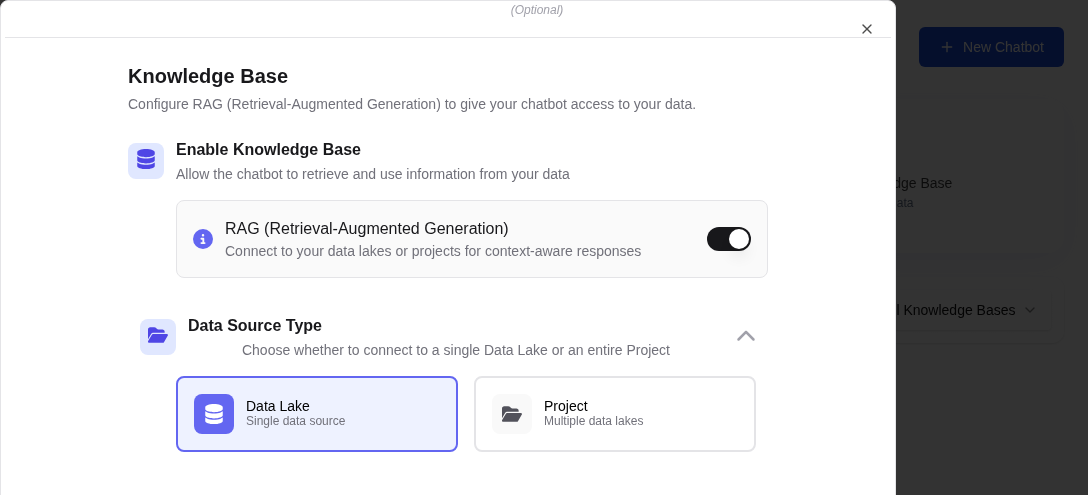
Open Bot Settings
Navigate to Bots, select your bot, and click Settings (gear icon).
Select Data Lakes
In the Data Lakes section, click Add Data Lake. Select one or more data lakes from the dropdown. Each data lake contains documents that have been ingested and indexed.
Enable RAG
Toggle the Enable RAG switch to ON. This activates context injection for all conversations with this bot.
Save Settings
Click Save to apply the changes. New messages will now include relevant document context.
How RAG Works
When you send a message to a RAG-enabled bot, the following process occurs:
Query Embedding
Your message is converted into a vector embedding using the same embedding model used during document ingestion.
Vector Search
The embedding is compared against the vector collection to find the most semantically similar document chunks.
Context Injection
The top matching chunks are injected into the LLM prompt alongside your message, giving the model access to relevant document content.
Response with Citations
The LLM generates a response informed by the retrieved context. Citations appear as inline references linking back to the source documents.
Understanding Citations
When RAG is active, responses may include citation markers (e.g., [1], [2]) that reference specific source documents. Clicking a citation opens the source document at the relevant passage.
| Citation Element | Description |
|---|---|
| Inline Reference | Numbered markers within the response text |
| Source Panel | Expandable panel below the response showing source documents |
| Document Link | Click to open the original document in the data lake viewer |
| Chunk Preview | Hover to see the exact text passage used as context |